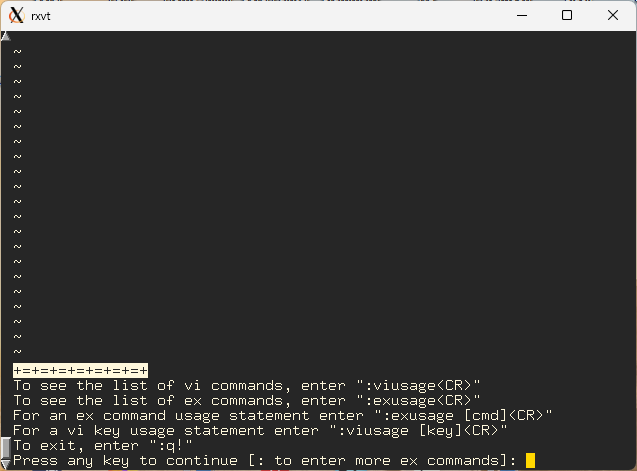
FreeBSD 14.3 /usr/bin/vi session (nvi 2.2.1) (click to enlarge) vi (pronounced vee-eye) is a full-screen text
editor originally written to run under Unix, but it has been cloned and
imitated to run under MS-DOS, Windows, OS/2, Macintosh OS, Linux, and
several other operating systems as well. Modern vi clones are often
used in free operating systems for example, nvi is one such variant.
In my testing on FreeBSD 14.3-stable, my /usr/bin/vi had the same
:version information in as /usr/bin/nvi.
What sets vi apart from other text editors is that it is a
modal editor. Its two main modes are an insert
mode in which text may be inserted, appended, or overwritten,
and a command mode in which the user may issue searches
and/or replacements of text, move around the file being edited, delete
and copy text, perform file operations (read/write/save), and invoke
external system commands (such as the Unix commands sort,
date, and fmt).
Other modes are often available in vi editors like vim, such as visual
mode for selecting and editing text and replace mode for replacing text.
Up and Running Fast, But Powerful
Basic editing tasks with vi (opening a file, moving around,
inserting text, deleting text, saving the file) can be learned in a few
minutes, but mastering vi will take much longer since it is
relatively feature-rich and it can draw upon the full power of Unix,
including regular expressions, reading the output of external commands,
and allowing exernal commands to operate on the text being edited, as well
as macros/key mapping, and ex line editor commands. ex is another unix
editor, completely command line-based.
Bizarre and Incomprehensible... vi can seem rather
bizarre, incomprehensible, and confusing to people just learning it,
especially if they are used to single-mode editors such as the Aurora
editor, emacs, the MS-DOS editor, Windows Notepad/Wordpad, Notepad++,
xedit, Qedit/TSE, Multi-edit, Ultraedit, Sublime Text, and the like. I
know it took me a while to get used to the h j k l
cursor keys and switching back and forth between command mode and input
mode using the escape key. At some point, however, if you have the right
sort of patience eventually you stop thinking so much about the commands
you are typing. At that point, you're off to the races. Movements and
edits become second nature and ingrained in your fingers.
...or Fast and Efficient? vi can be a very fast
and efficient editor once you get used to the way it works. I also like
the idea that I can find vi on every Unix system I've come across (and
at one point I used at least four different Unix operating systems for
work), that it is economical of system resources (such as RAM), that it
can do a lot of editing in very few keystrokes (no mouse required), that
it can edit huge files, and it can operate quite handily over slow modem
or internet connections (which seems to be necessary more often than one
would expect, even today).
Getting out: If you get stuck in vi and can't get
out don't panic. Hit "ESC ESC :qa!" in vim. That
should get you out of multiple files/tabs and whatever mode(s) you are in.
In nvi, hit ":q!" NOTE: You will lose all your changes.
What Else?
At this site are some references and links of interest to vi users
and the curious. I've included some screen shots of several popular
vi clones, too, because some vee-eyes now offer GUI (graphical)
interfaces with pull-down menus or button bars that might be of interest
to a new generation of potential vi users. See the links at the bottom
of the page. Also see my Vim
page.